
Original MSRP. Right where you shop.
See what a car cost new, without leaving the listing.
Add WhenNew to Chrome Add WhenNew to Chrome
Free · No sign-up required · Available in the Chrome Web Store
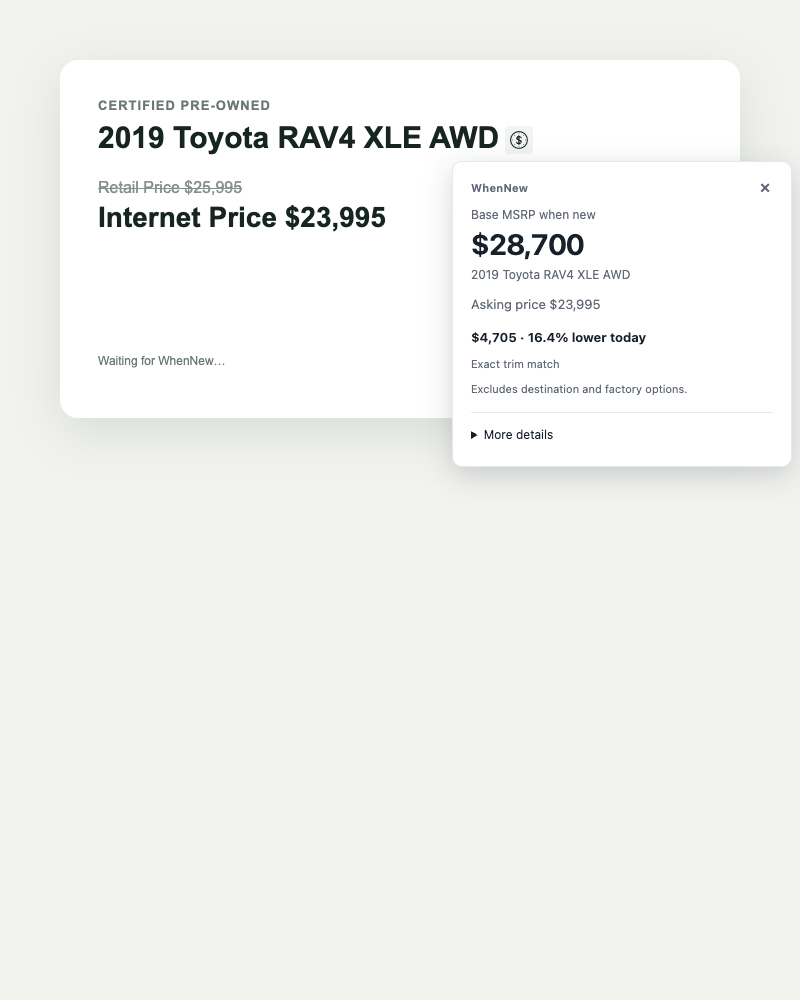
1. Add to Chrome
Install WhenNew from the Chrome Web Store. There’s no account to create.
2. Open a used-car listing
Shop on supported sites including Carfax, Autotrader, Cars.com, and dealer websites. Look for the WhenNew icon beside the vehicle title.
3. See the original price
Select the icon to see original MSRP and its inflation-adjusted value. Choose the trim and drivetrain that match the listing.
Questions before you install
Does it tell me whether a car is a good deal?
No. Original MSRP alone cannot tell you whether a used car is a good deal. Condition, mileage, local demand, and vehicle history also matter.
Does WhenNew send my browsing history anywhere?
The Chrome extension processes vehicle details locally and does not track your browsing history. This website uses separate usage analytics. Read about privacy.
Why don’t I see a price on every listing?
Some vehicles and listing sites are not supported yet. If the trim cannot be identified, WhenNew may show a price range.